Scanned PDFs rebuilt as editable Word and PDF files that follow the original layout
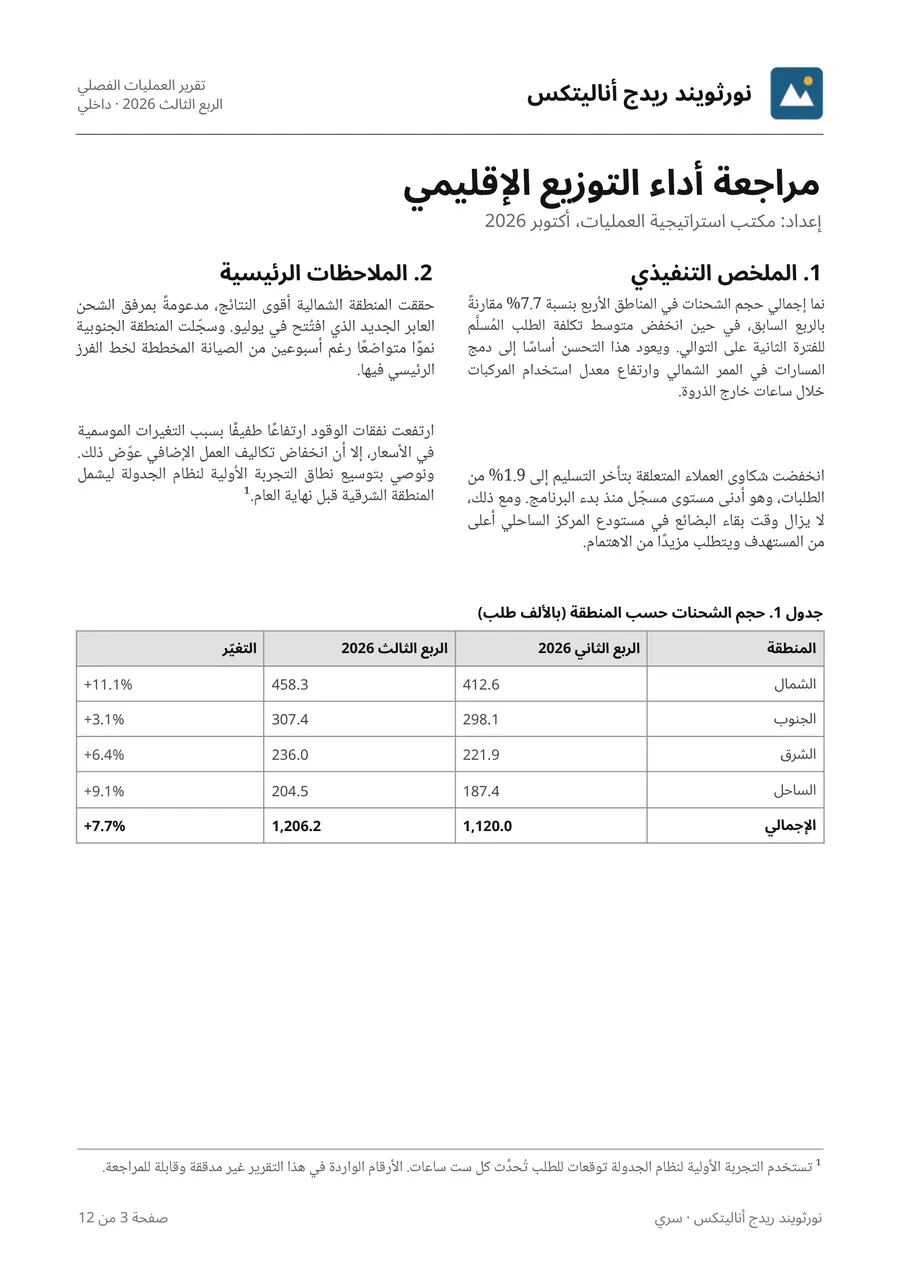
No source file? We rebuild image-only PDFs, scans, and photos of pages as an editable Word document and a searchable PDF that follow the original’s layout, without going back to InDesign. Then we deliver the translation in that same layout, mirrored right to left for Arabic where the page needs it.
-
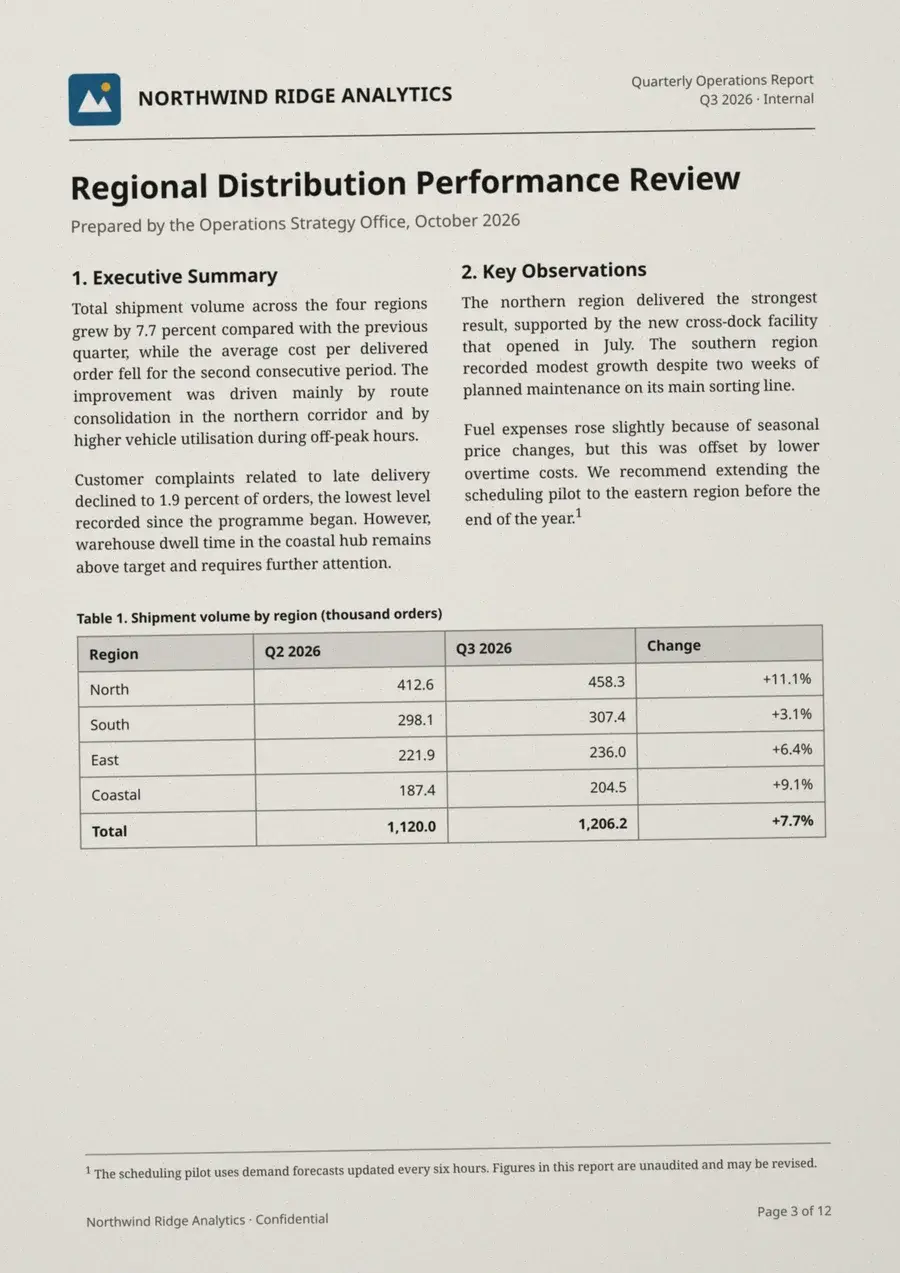 (larger view) Scanned page
 -
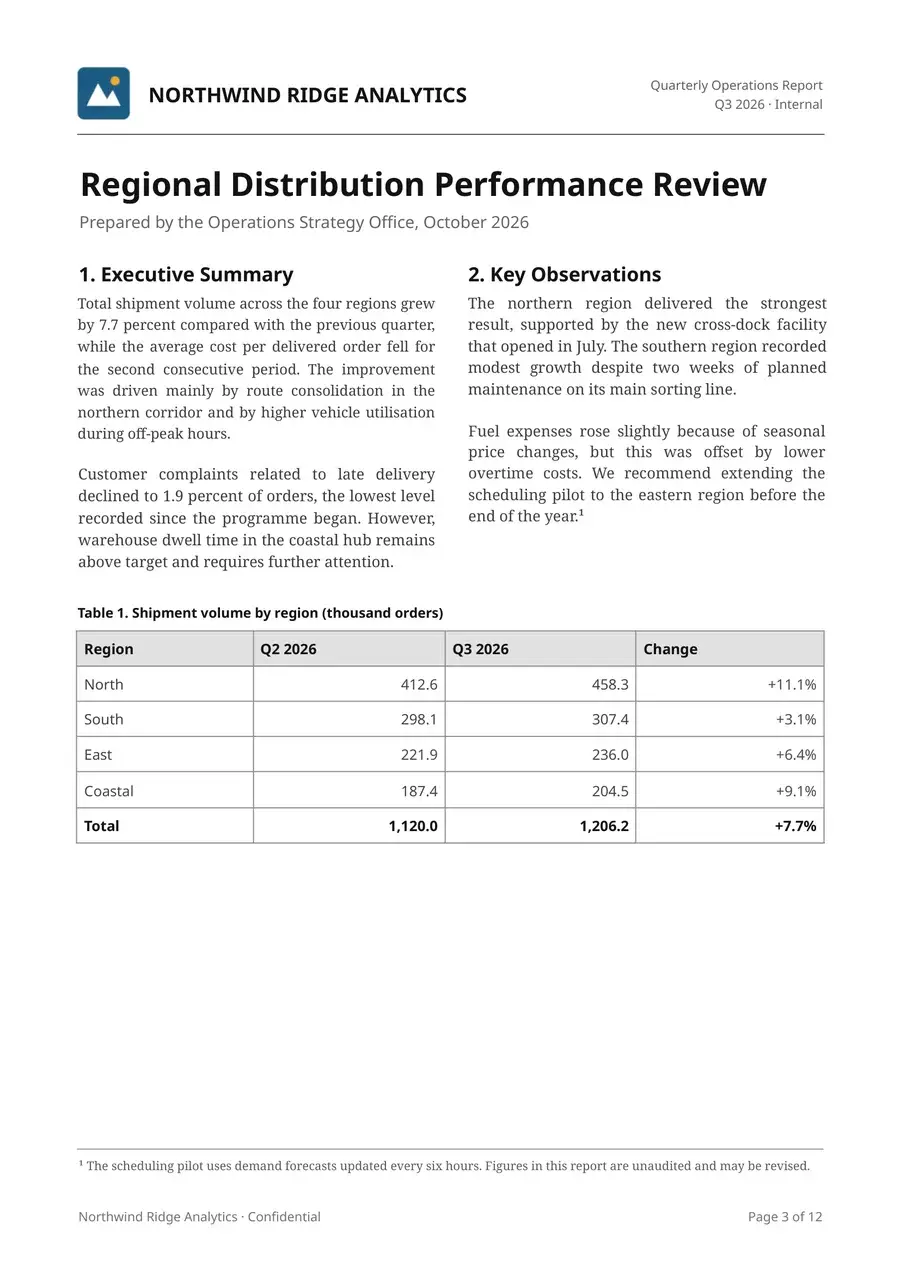 (larger view) Rebuilt (editable)
 -
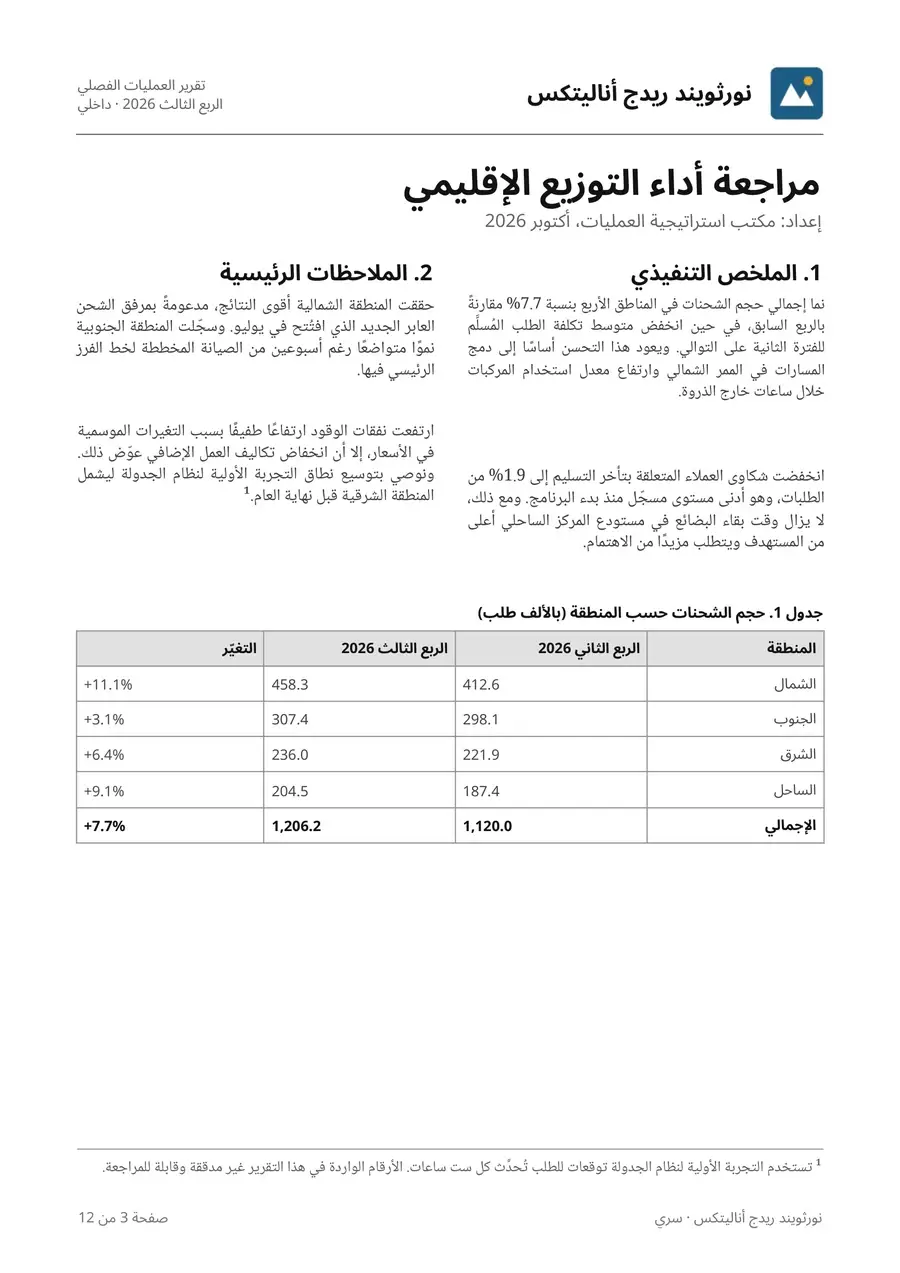 (larger view) Translated, same layout
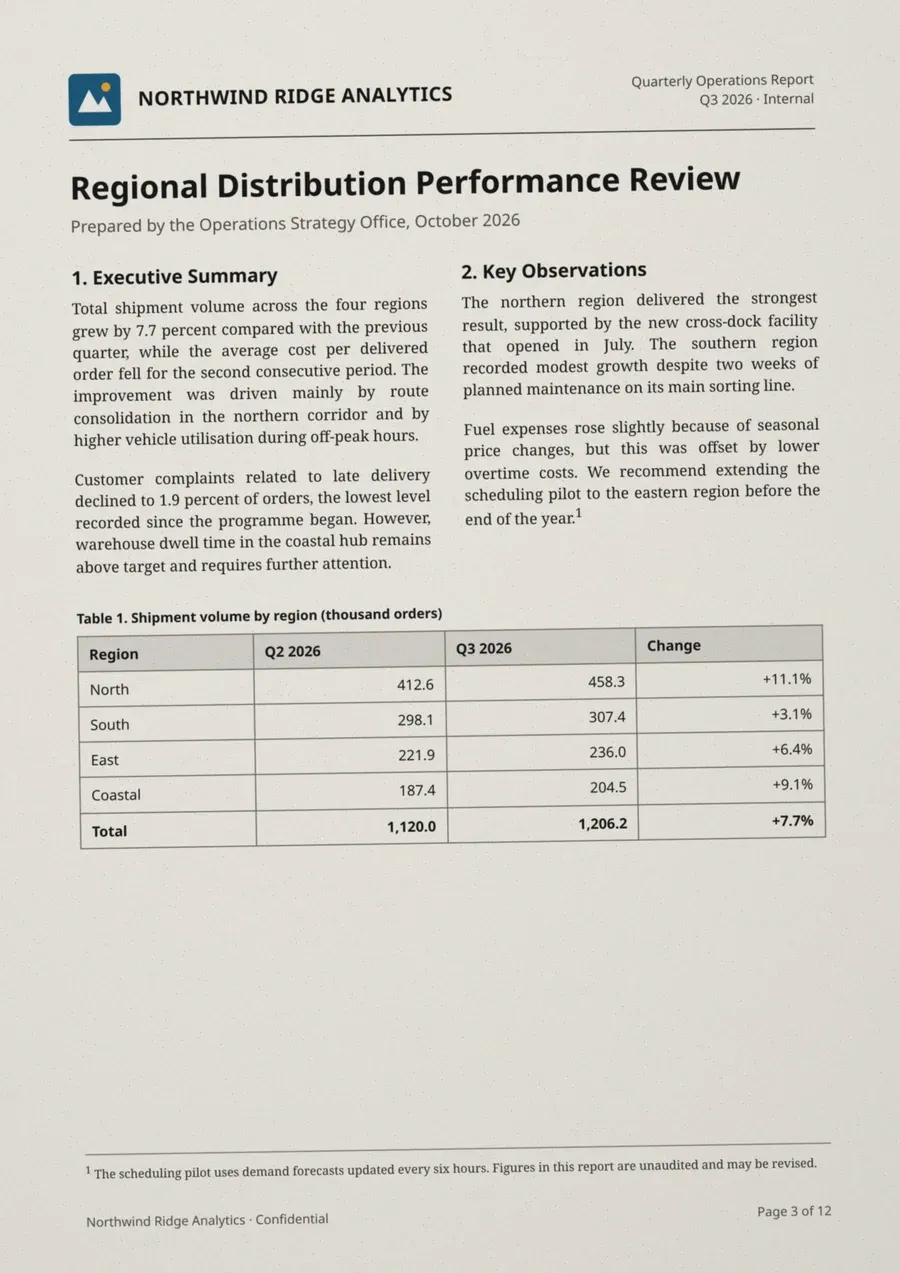
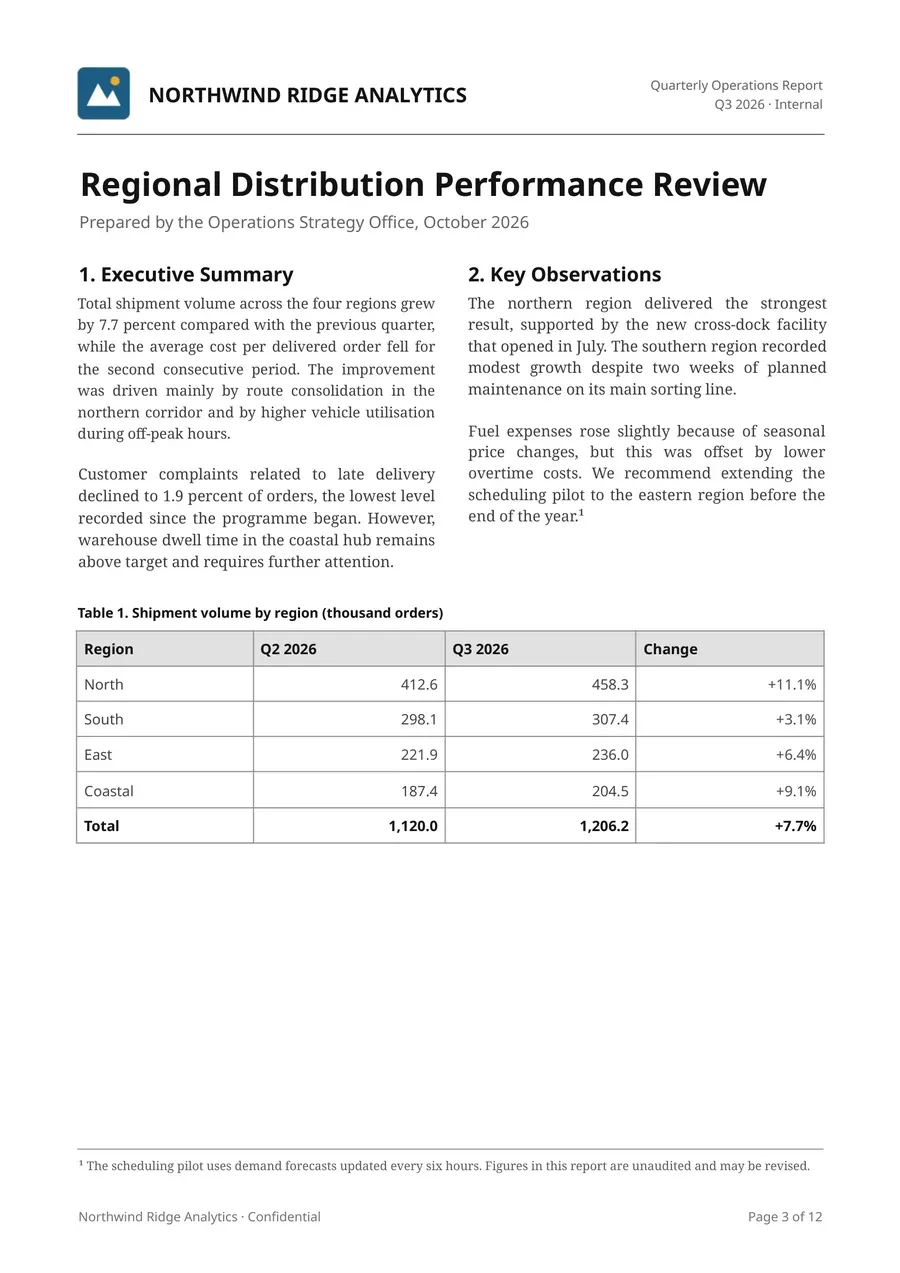
What you get that a converter or a PDF translator does not give you
- Editable, not just searchable. You get a real Word file with headings, lists, and tables your team can edit, not a picture with a hidden text layer.
- A layout that follows the original. We compare every rebuilt page with the original image and fix what moved before delivery. Anything we could not match is listed in the delivery note.
- Translated into the same layout. The translation goes back into the rebuilt file. Arabic is mirrored right to left where the page needs it, and longer text is fitted without being cut.
- Text checked against the page. A native linguist of the source language checks names, numbers, dates, and amounts against the image. Unclear text is marked and listed for you, not guessed.
- Ready for the next version. You keep the editable source, and your translation memory (TM) grows with every batch, so the next update runs through our AI translation cycle with your glossary and service level. You can choose no AI for the translation of any content type.
Who sends us scans
- Manufacturers and industrial firms with manuals and spec sheets whose source files were lost years ago
- Legal and compliance teams with signed contracts, correspondence, and data-room files
- Development organizations and NGOs with report archives
- Banks, fintechs, and insurers with statements, claims files, and onboarding packs
- Teams that already ran a PDF through a translation tool and got broken tables, text running off the page, or Arabic that reads in the wrong direction
- Translation companies whose clients send scanned files
Four ways to use the service
- Rebuild and translation in the same layout. The editable Word file and searchable PDF of the original, plus the translated Word file and PDF in the same layout. This is the usual choice.
- Editable rebuild only. The Word file and searchable PDF, with no translation. You can add translation later, and the rebuilt file goes straight into your translation workflow.
- Fix my machine-translated PDF. Already translated with a tool, and the layout broke? We rebuild the original, a native post-editor edits the tool’s translation through our AI post-editing (AIPE) process, and we place it in the rebuilt layout, with an issue log of what the tool got wrong.
- White-label rebuild for translation companies. Rebuilt files delivered without our name, so you deliver under yours. See how it works.
Designing for print, or working from InDesign source files? Our desktop publishing (DTP) team works at locstars.com (external site).
How it works
Every page is checked by people before it ships, and every step has a named owner.
- Page check. We sort your pages by type, from plain text to dense tables, and by how readable they are. Pages that need full desktop publishing are named in the quote before work starts. This is the basis of your quote.
- Cleanup and layout map. Agents straighten and clean each page image, keeping your originals untouched. They then map every region in reading order: headings, columns, tables, images, logos, stamps, signatures, headers, and footers.
- Reading and source check. Two independent readings are compared, and every difference is flagged. A native linguist of the source language checks the text against the page image, including every name, number, date, and amount. Unclear text is marked and added to the doubt log.
- Rebuild. We build a Word file with real headings, lists, and tables, and place images, logos, stamps, and signatures where they were on the page. The PDF is exported from the same file. Fonts are matched by look from open-licensed families, or we use the licensed fonts you send.
- Page-by-page compare. Our DTP team checks each rebuilt page against the original and fixes what moved. Anything we could not match is listed in the delivery note.
- Translation in the same layout. The checked text runs through our AI cycle at your service level, against your glossary and TM. The translation goes back into the rebuilt file, and Arabic pages are mirrored right to left where the page needs it. The DTP team checks the translated pages against the source layout too.
- Quality gate and delivery. An automated gate checks that every page, table, name, number, date, and amount carries over into the translation. If a file fails the gate, it does not ship.
Content with legal effect is translated at AI + Edit + Review or without AI.
What you send and what you get back
You send
- PDF files (scanned, image-only, or mixed), page images in JPG, PNG, TIFF, or HEIC, or a ZIP of them. For large sets, send a link
- The target languages, if you want a translation
- Your glossary and translation memory (TM), if you have them
- Your licensed fonts or Word template, if you want us to use them
You get back
- An editable Word file (DOCX) that follows the original layout, with real headings, lists, and tables
- A searchable PDF exported from that Word file
- With translation: the translated Word file and PDF, in the same layout
- A doubt log with notes on unclear text, listing each item with its page and location
- A delivery note listing the fonts used and any page we could not match
- Your TM, updated, with a Translation Memory eXchange (TMX) file on request
Handwritten pages
Handwriting is the hardest case for AI, and it is where AI is most likely to produce text that is not on the page. So we quote handwritten pages only after we see a sample page. A native linguist reads handwriting line by line against the image. AI may suggest a reading, and the linguist decides. Unclear text is marked, never guessed, and pages that cannot be read reliably are named before we quote.
For translation companies
Your clients send scanned files too. We rebuild them as editable Word files that are ready for your translation tools, and we deliver them without our name or branding, so you deliver under yours. Ask for the rebuild only and translate in your own workflow, or send the target languages and receive the translated files in the same layout. Send us your NDA, and we sign it before you share files.
How we quote scanned documents
A scanned file has no word count until it is read, so your quote has two parts. The rebuild is quoted per page, by page type and how readable each page is. Translation is quoted per word of the checked text, with the usual analysis against your TM, at the service level for each content type. The quote states the basis, and we confirm any change with you before work continues.
Questions about scanned document rebuild and translation
How close to the original will the rebuilt file be?
It follows the original layout: the same page order, headings, columns, and tables, with images, logos, stamps, and signatures placed where they were. Our DTP team compares every rebuilt page with the original image and fixes what moved. Anything we could not match, such as text set over a photo, is listed in the delivery note.
Do you use the fonts from the original?
A font cannot be taken out of a scan, so we match each font by look, using open-licensed font families. If you send your licensed fonts or your Word template, we use those. The delivery note lists every font used.
Can our team edit the rebuilt file?
Yes. It is a Word file with named styles, real tables, and text you can select and change, not a picture with a hidden text layer. When you update it, the next translation runs against your TM.
Do you rebuild and translate handwritten pages?
Yes, after we see a sample page. A native linguist reads handwriting line by line against the image, and AI only suggests readings. Unclear text is marked, never guessed.
What about designed pages, such as brochures?
Pages built mostly from images, text set over photos, or decorative layouts are better served by desktop publishing. We name them in the quote before work starts. Designed print work and InDesign files are handled by our DTP team at locstars.com (external site).
Our scans contain personal data. Can you handle them?
Tell us before you send files. We sign your NDA and your data processing agreement (DPA), and you can choose no AI for the translation. If the pages must also be read and rebuilt without AI, tell us, and your quote confirms how each step is done. We delete your files on request. For the free sample, please send pages with personal data blacked out, or pages without it. See how we handle your content.
Start with 3 pages, free
Send up to 3 pages: your hardest page and one or two typical ones. We send them back rebuilt as Word and PDF files, and if you choose a target language, one page also comes back translated in the same layout. Please black out personal data first, or send pages without it, and send only pages you have the right to share. One free sample per company.